Thinking about adopting Salesforce but unsure about the real Salesforce CRM cost? You’re not alone. Many businesses are drawn to its powerful features but shocked by the final price tag. Let’s break down exactly what you’ll pay—and why.


Salesforce CRM Cost: The Big Picture

When evaluating Salesforce CRM cost, it’s essential to look beyond the sticker price. Salesforce doesn’t operate on a one-size-fits-all model. Instead, it offers a tiered pricing structure that scales with your business needs, user count, and required features. This flexibility is both a strength and a potential trap for the unwary buyer.
According to Salesforce’s official website, pricing starts at $25 per user per month for the Essentials edition, climbs to $75 for Professional, $150 for Enterprise, and reaches $300 for Unlimited. But these are just the starting points. Hidden fees, add-ons, and implementation costs can easily double—or triple—your initial estimate.
For example, a mid-sized company with 50 users opting for the Enterprise edition at $150 per user per month would expect to pay $90,000 annually. However, once you factor in training, data migration, customization, and third-party integrations, the total cost of ownership (TCO) can exceed $150,000 in the first year alone.
Understanding the full scope of Salesforce CRM cost requires looking at both direct and indirect expenses. Direct costs include subscription fees, while indirect costs cover onboarding, support, and ongoing maintenance. A 2023 Gartner report found that indirect costs often account for 40–60% of the total investment in enterprise CRM systems.
Subscription Tiers and Their Features
Salesforce offers several CRM editions, each tailored to different business sizes and complexity levels. Choosing the right one is crucial to managing Salesforce CRM cost effectively.
- Essentials ($25/user/month): Designed for small businesses, includes basic contact, lead, and opportunity management.
- Professional ($75/user/month): Adds workflow automation, web-to-lead forms, and customizable dashboards.
- Enterprise ($150/user/month): Offers full API access, advanced customization, and role-based security.
- Unlimited ($300/user/month): Includes 24/7 phone support, additional storage, and dedicated account management.
- Lightning Experience: Available across all tiers, this modern UI improves usability and performance.
Each tier unlocks more functionality, but also increases the Salesforce CRM cost significantly. For instance, API access in the Enterprise edition enables integration with ERP systems, marketing automation tools, and custom apps—features that are essential for scaling businesses but come at a premium.
Hidden Costs That Inflate Salesforce CRM Cost
The advertised price is rarely the final price. Several hidden costs can dramatically increase your Salesforce CRM cost:
Implementation Fees: Hiring consultants or partners to set up Salesforce can cost $5,000 to $50,000+, depending on complexity.Customization: Tailoring workflows, reports, and UI elements requires developer time, often billed at $150–$250/hour.Data Migration: Moving legacy data into Salesforce safely and accurately can take dozens of hours and require specialized tools.Training: User adoption is critical.Poor training leads to underutilization, reducing ROI.Training programs range from $1,000 to $10,000.AppExchange Add-ons: Third-party apps enhance functionality but add recurring costs..
Popular tools like DocuSign or Mailchimp for Salesforce cost $10–$50/user/month.”The biggest mistake companies make is budgeting only for the license fee.The real cost of Salesforce is in the ecosystem around it.” — CRM Implementation Specialist, Salesforce Partner NetworkBreaking Down the Salesforce CRM Cost by EditionTo truly understand Salesforce CRM cost, let’s examine each edition in detail, including who it’s for and what you get for your money.This breakdown will help you avoid overpaying for features you don’t need—or underinvesting in capabilities critical to growth..
Salesforce Essentials: Is It Worth It?
Salesforce Essentials is marketed as the entry point for small businesses with up to 10 users. At $25 per user per month, it seems affordable. But is it?
Essentials includes core CRM functions: contact management, lead tracking, opportunity pipelines, email integration, and basic reporting. It also offers mobile access and pre-built automation for common sales tasks. For a startup or solopreneur, this can be sufficient.
However, limitations quickly become apparent. There’s no API access, limited customization, and no workflow rules beyond basic email alerts. If you plan to scale, you’ll likely need to upgrade within 12–18 months, triggering data migration and retraining costs.
A 2022 Nucleus Research study found that companies using Essentials saw an average ROI of 187% over three years—lower than higher-tier editions, which averaged 250–300%. So while the upfront Salesforce CRM cost is low, the long-term value may not justify the investment for growth-oriented firms.
Professional Edition: The Sweet Spot for SMBs
Priced at $75 per user per month, Professional Edition is often considered the sweet spot for small to mid-sized businesses. It includes everything in Essentials plus advanced features like workflow automation, customizable dashboards, web-to-lead forms, and territory management.
One of the key advantages is API access, which allows integration with tools like QuickBooks, Slack, or Shopify. This connectivity enhances productivity and reduces manual data entry, directly impacting ROI.
However, customization is still limited compared to Enterprise. You can’t create custom objects or use Apex code, which restricts how deeply you can tailor the system. For businesses with complex sales processes or unique data models, this can be a dealbreaker.
Despite these limits, many SMBs find Professional Edition offers the best balance of functionality and Salesforce CRM cost. A 2023 Forrester survey showed that 62% of mid-market companies using Professional Edition reported high satisfaction with their CRM investment.
Enterprise and Unlimited: For Large Organizations
When you move into Enterprise ($150/user/month) and Unlimited ($300/user/month), you’re entering the realm of enterprise-grade CRM. These editions are designed for large organizations with complex sales cycles, global teams, and high customization needs.
Enterprise includes full API access, unlimited custom apps, advanced security controls, and sandbox environments for testing changes. Unlimited adds 24/7 phone support, higher API call limits, and a dedicated success manager.
The Salesforce CRM cost for these tiers is substantial. A 200-user Enterprise deployment costs $360,000 annually in licenses alone. But for global enterprises, the value often justifies the price. Features like multi-currency support, advanced analytics, and AI-powered Einstein insights drive efficiency and revenue growth.
According to a Salesforce case study, Unilever reduced sales cycle time by 30% and increased forecast accuracy by 25% after implementing Salesforce Enterprise. These gains can translate into millions in additional revenue, making the high Salesforce CRM cost a strategic investment.
Salesforce Sales Cloud vs. Service Cloud: Cost Differences
Salesforce offers multiple cloud products, each with its own pricing structure. The two most popular are Sales Cloud and Service Cloud. Understanding their cost differences is crucial when calculating overall Salesforce CRM cost.
Sales Cloud Pricing and Features
Sales Cloud is the core CRM platform focused on managing leads, opportunities, accounts, and sales pipelines. It’s the foundation of most Salesforce deployments.
All editions—Essentials, Professional, Enterprise, Unlimited—include Sales Cloud functionality. However, advanced features like forecasting, territory management, and Einstein Analytics are only available in Professional and higher tiers.
For businesses focused solely on sales automation, Sales Cloud may be sufficient. But many organizations also need customer service capabilities, which brings us to Service Cloud.
Service Cloud: Is It Worth the Extra Cost?
Service Cloud is designed for customer support teams. It includes case management, knowledge bases, omnichannel routing (email, chat, phone), and AI-powered chatbots.
Pricing for Service Cloud starts at $25/user/month for the Basic edition, $75 for Professional, $150 for Enterprise, and $300 for Unlimited—mirroring Sales Cloud’s structure. However, you can’t use Service Cloud without a base CRM license. This means a user accessing both Sales and Service Cloud needs a combined license, increasing the Salesforce CRM cost.
For example, a support agent using Service Cloud Professional ($75) still needs a base CRM license (e.g., Essentials at $25), bringing the total to $100/user/month. This bundling can make costs escalate quickly.
Despite the added expense, Service Cloud delivers significant value. A 2023 Zendesk benchmark report found that companies using Service Cloud reduced average response time by 40% and increased customer satisfaction (CSAT) scores by 22%.
“Service Cloud isn’t just a cost center—it’s a revenue protector. Happy customers stay longer and spend more.” — Customer Experience Consultant, Gartner
Additional Costs That Impact Salesforce CRM Cost
License fees are just the beginning. Several additional costs can significantly impact your total Salesforce CRM cost. Ignoring these can lead to budget overruns and project delays.
Implementation and Consulting Fees
Implementing Salesforce is rarely a DIY project. Most companies hire certified consultants or Salesforce partners to ensure a smooth rollout.
Implementation costs vary widely based on complexity. A basic setup for 10 users might cost $5,000–$10,000. A full enterprise deployment with custom integrations, data migration, and training can exceed $100,000.
According to Salesforce’s official services page, their professional services team offers end-to-end implementation, but at premium rates. Alternatively, third-party partners listed on the Salesforce Partner Exchange (AppExchange) may offer more competitive pricing.
To control costs, consider a phased rollout. Start with core functionality, then add features over time. This approach reduces initial investment and allows teams to adapt gradually.
Customization and Development Expenses
Salesforce is highly customizable, but every change has a cost. Whether it’s creating custom objects, building workflows, or writing Apex code, development work requires skilled personnel.
Hourly rates for Salesforce developers range from $125 to $250, depending on experience and location. A single custom report or dashboard might take 5–10 hours, adding $600–$2,500 to your budget.
Additionally, ongoing maintenance is required. Salesforce releases three major updates per year, which can break custom code or workflows. Budgeting for regular code reviews and updates is essential to avoid system failures.
One way to reduce customization costs is to leverage declarative tools like Process Builder and Flow, which allow non-developers to automate processes without coding. However, complex logic still requires Apex, so some development expense is inevitable.
Training and User Adoption Programs
Even the most powerful CRM fails if users don’t adopt it. Poor adoption is the #1 reason for CRM project failure, according to a 2022 McKinsey report.
Effective training programs are critical. Salesforce offers Trailhead, a free online learning platform with interactive modules. While Trailhead is excellent for self-paced learning, structured training for teams often requires paid programs.
Third-party training providers charge $500–$2,000 per user for comprehensive onboarding. Internal training led by super users is cheaper but less consistent.
Investing in adoption pays off. Companies with high user adoption rates see 2.5x higher ROI from their Salesforce CRM cost, per a 2023 Salesforce ROI study.
Salesforce CRM Cost for Small vs. Large Businesses
The impact of Salesforce CRM cost varies dramatically based on company size. What’s affordable for a Fortune 500 company can bankrupt a startup. Let’s compare how different business sizes experience the cost.
Cost Analysis for Small Businesses
For small businesses (1–50 employees), every dollar counts. The goal is to maximize value while minimizing risk.
A 10-person sales team using Salesforce Professional at $75/user/month pays $9,000 annually in licenses. Add $10,000 for implementation and $2,000 for training, and the first-year cost reaches $21,000.
While this may seem high, the ROI can be substantial. Automated lead tracking, better forecasting, and improved follow-up can increase sales conversion rates by 15–30%. For a small business generating $1M in revenue, that’s an extra $150,000–$300,000 in sales.
However, small businesses must resist the temptation to over-customize. Stick to out-of-the-box features and use AppExchange apps only when necessary. Focus on core sales processes first.
Enterprise-Level Salesforce CRM Cost Breakdown
Large enterprises (500+ employees) operate on a different scale. Their Salesforce CRM cost is measured in hundreds of thousands—or millions—of dollars.
A 1,000-user Enterprise deployment costs $1.8 million annually in licenses alone ($150 x 1,000 x 12). Implementation can add $200,000–$500,000. Custom development, integrations, and ongoing support may add another $300,000 per year.
Despite the high cost, enterprises benefit from economies of scale. Centralized data, global visibility, and AI-driven insights improve decision-making across regions and departments.
For example, a global manufacturer using Salesforce reduced duplicate data entry by 70% and cut sales reporting time from 5 days to 2 hours. These efficiencies translate into labor savings and faster time-to-market.
Enterprises also negotiate custom pricing with Salesforce. Volume discounts, multi-year contracts, and bundled cloud purchases can reduce the effective per-user cost by 15–30%.
“At scale, Salesforce isn’t just a tool—it’s a strategic asset that transforms how we engage customers.” — CIO, Global Retailer
How to Reduce Your Salesforce CRM Cost
You don’t have to accept the sticker price. There are proven strategies to reduce your Salesforce CRM cost without sacrificing functionality.
Negotiate with Salesforce or Partners
Salesforce rarely gives discounts publicly, but they exist. For deployments over 100 users, always negotiate.
Ask for multi-year contracts (3–5 years) to lock in rates and secure volume discounts. Bundle Sales Cloud, Service Cloud, and Marketing Cloud for better pricing. Leverage competitors like HubSpot or Microsoft Dynamics as bargaining chips.
You can also negotiate through Salesforce partners. Some partners offer discounted licenses as part of implementation packages, effectively subsidizing the cost with service revenue.
Optimize User Licenses and Roles
Not every employee needs a full Salesforce license. Use lower-cost licenses for users with limited needs.
For example, marketing staff who only view reports can use a $25 Community Cloud license instead of a $150 Enterprise license. Support agents can use Service Cloud Basic if advanced features aren’t needed.
Regularly audit user roles and deactivate inactive accounts. A 2023 audit by Panaya found that 18% of Salesforce users in large companies were inactive, yet still billed.
Leverage Free Tools and Automation
Salesforce offers several free tools that reduce dependency on paid add-ons.
- Trailhead: Free training for users and admins.
- Flow: No-code automation tool to replace paid workflow apps.
- Reports & Dashboards: Built-in analytics eliminate the need for basic BI tools.
- AppExchange Free Apps: Thousands of free integrations for common tasks.
By maximizing native functionality, you can avoid recurring subscription fees for third-party tools.
Alternatives to Salesforce and Their Cost Comparison
Salesforce is powerful, but it’s not the only option. Let’s compare its cost to leading alternatives.
HubSpot CRM: Free vs. Paid Tiers
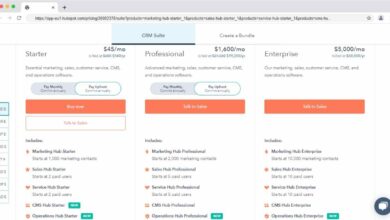
HubSpot offers a free CRM with contact, deal, and task management. Paid tiers start at $20/month for Starter, $100 for Professional, and $1,200 for Enterprise (billed annually).
Compared to Salesforce, HubSpot is more affordable for small businesses. Its free tier is genuinely useful, and the interface is easier to learn. However, it lacks the depth of customization and scalability of Salesforce.
For companies with simple sales processes, HubSpot can reduce Salesforce CRM cost by 50–70%. But for complex global operations, it may not suffice.
Microsoft Dynamics 365: Integration vs. Cost
Priced at $65–$225/user/month, Microsoft Dynamics 365 competes directly with Salesforce. Its biggest advantage is seamless integration with Office 365 and Azure.
For organizations already using Microsoft products, Dynamics can reduce training and integration costs. However, it’s often perceived as less user-friendly and less innovative than Salesforce.
A 2023 Nucleus Research report found that Salesforce delivered 22% higher ROI than Dynamics over five years, justifying its higher price for many enterprises.
Zoho CRM: Budget-Friendly but Limited
Zoho CRM starts at $14/user/month and goes up to $52 for the top tier. It’s one of the most affordable CRMs on the market.
While cost-effective, Zoho lacks the ecosystem, AI capabilities, and global support of Salesforce. It’s ideal for small businesses on a tight budget but may not scale effectively.
In a head-to-head comparison, Salesforce CRM cost is 2–3x higher than Zoho, but the feature gap widens with complexity.
“Cheap isn’t always cost-effective. You pay for reliability, scalability, and innovation.” — IT Director, Mid-Market Firm
Real-World Case Studies: Salesforce CRM Cost in Action
Theoretical pricing is one thing—real-world results are another. Let’s look at how actual companies have managed Salesforce CRM cost.
Startup Success: Scaling on a Budget
A SaaS startup with 15 employees started with Salesforce Essentials at $25/user/month. After 12 months, they upgraded to Professional to access API integrations with their billing system.
Total first-year cost: $7,500 (licenses) + $8,000 (implementation) + $1,500 (training) = $17,000. By automating lead follow-up, they increased conversion rates by 25%, generating an extra $120,000 in annual revenue.
ROI: 600% in year one. The startup credits Salesforce with enabling scalable growth without hiring additional sales staff.
Enterprise Transformation: Global Rollout
A multinational logistics company with 2,000 employees implemented Salesforce Enterprise across 12 countries. Total cost: $3.6M in licenses, $600K in implementation, $400K in training and customization.
Results after 18 months: 35% faster deal closure, 20% reduction in customer churn, and $15M in incremental revenue. The project paid for itself within two years.
Key success factors: phased rollout, strong executive sponsorship, and continuous user training.
What is the starting price for Salesforce CRM?
The starting price for Salesforce CRM is $25 per user per month for the Essentials edition. This tier is designed for small businesses and includes basic contact, lead, and opportunity management features.
Can Salesforce CRM cost be negotiated?
Yes, Salesforce CRM cost can often be negotiated, especially for large deployments or multi-year contracts. Companies with over 100 users should always request a custom quote and leverage competitive alternatives during negotiations.
Are there hidden costs with Salesforce?
Yes, common hidden costs include implementation fees, data migration, customization, training, and third-party app subscriptions. These can add 50–100% to the base license cost in the first year.
How much does Salesforce implementation cost?
Implementation costs vary widely. Small deployments can cost $5,000–$20,000, while enterprise rollouts often exceed $100,000. Costs depend on complexity, data volume, and customization needs.
Is Salesforce worth the cost?
For most medium to large businesses, yes. Salesforce delivers strong ROI through improved sales efficiency, better customer service, and data-driven decision-making. However, small businesses should carefully assess their needs to avoid overpaying.
Understanding the true Salesforce CRM cost goes far beyond the monthly subscription fee. It includes licensing, implementation, customization, training, and ongoing maintenance. While the initial investment can be high, the long-term benefits—increased sales, improved customer satisfaction, and operational efficiency—often justify the expense. By choosing the right edition, negotiating pricing, and leveraging free tools, businesses of all sizes can maximize ROI and make Salesforce a strategic asset rather than a financial burden.
Further Reading: